
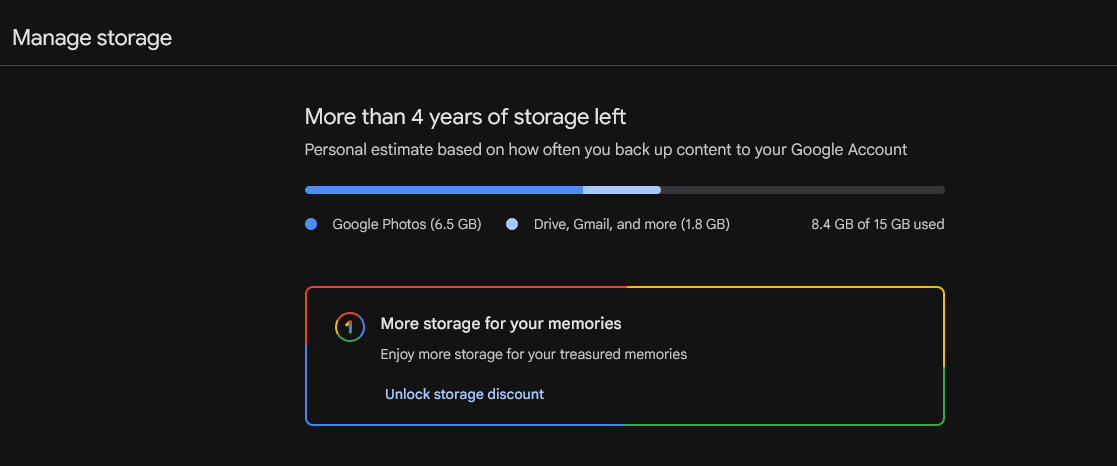
Here are some tips to reduce gmail storage in case you have a lot of email that is causing you to pay for the extra storage (because more than a certain amount costs $$)
- First, check Gmail’s storage breakdown: Go to drive.google.com/settings/stora
- Check what is using space in Gmail, Drive, and Photos
- Click on “Gmail” to see the main culprits
- Then, in the Gmail search bar, type: has:attachment larger:10M (finds emails larger than 10 MB)
- Sort by size, select several, and delete what you don’t need
- Try larger:5M (anything 5Meg or larger)
- or larger:3M (anything 3Meg or larger)
Just deleting large attachments can instantly free up space.
- Delete entire categories in bulk Gmail automatically sorts emails — use this to clean up quickly:
- Search: category:promotions (all promotional emails)
- Search: category:social (Facebook, LinkedIn, etc. notifications)
- Search: category:updates (receipts, confirmations) Check the box → “Select all conversations that match this search” Delete everything at once
Tested this on my own account – and it works — also cut down on my photos and more and I am down to 8GB (Google gives 15GB for free)
Google claims I have 4 years of storage left, but that means in a couple of years I have to cut more stuff.